

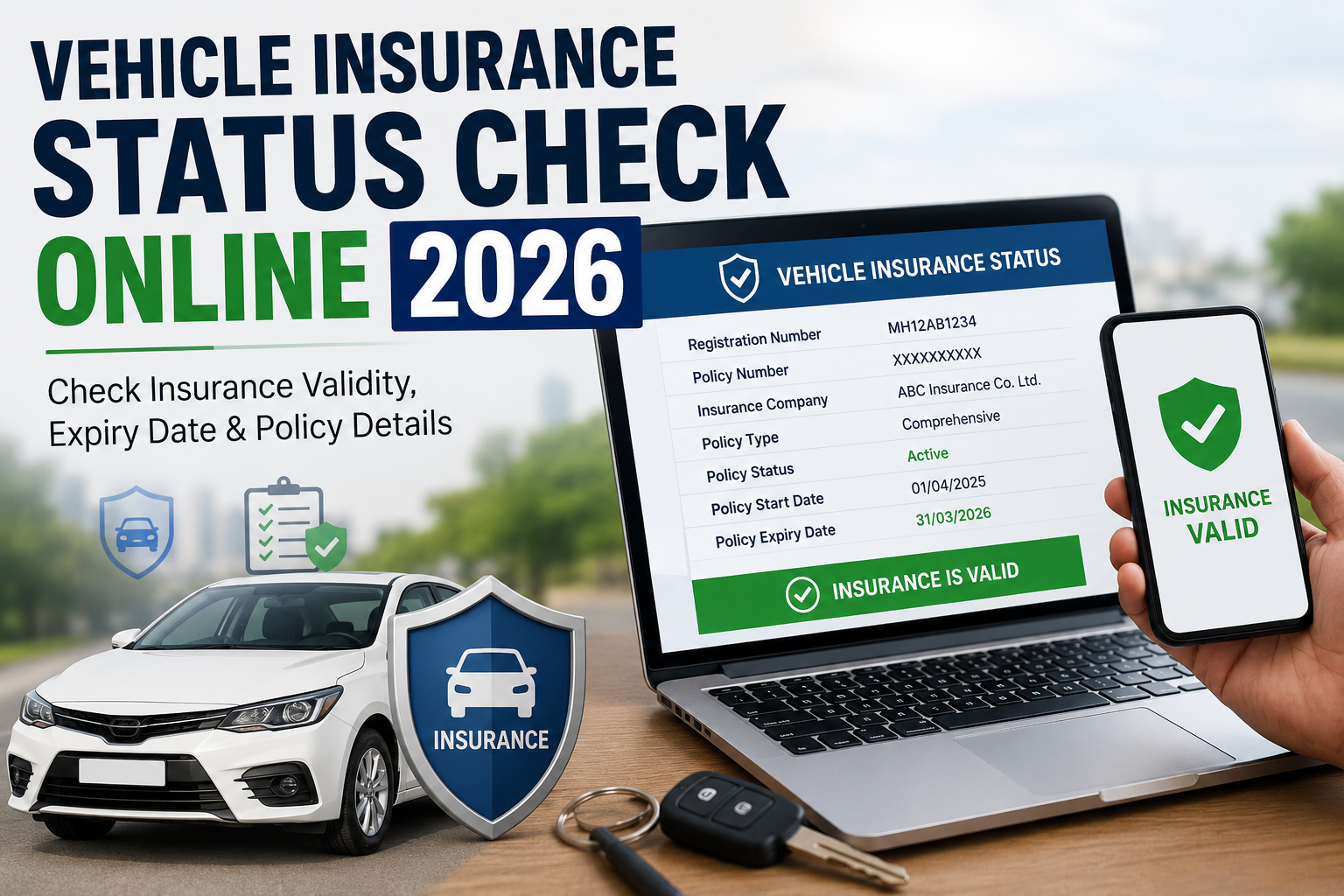
Picture this. You’re at a toll booth, or maybe a traffic cop has waved you over for a routine check, and you’re suddenly not 100% sure if your car’s insurance is still active. Or maybe you’re about to hand over cash for a used scooter and the seller swears “insurance hai, tension mat lo,” but you’d rather see it for yourself before you believe it.
Both situations come down to the same question: how do you actually do a vehicle insurance status check online, quickly and without guesswork? This guide covers the latest update for 2026, so you’re checking against current portals and rules, not outdated steps.
The good news is that it takes less time than making a cup of chai. The government runs a few official portals for exactly this purpose, and most insurers let you check directly too. This guide walks through every method that actually works in 2026, plus a few things almost nobody tells you about why your insurance sometimes shows as “expired” even when it isn’t.
Why Checking Your Vehicle Insurance Status Matters
Let’s get the obvious one out of the way first: driving without valid insurance in India isn’t just risky, it’s illegal. Every vehicle on Indian roads needs at least third-party insurance under the Motor Vehicles Act. Get caught without it and you’re looking at a fine, and repeat offenders can face worse.
But there’s more to it than avoiding a challan.
If your insurance has quietly lapsed and you’re in an accident, your insurer isn’t covering a single rupee of the damage. Not your car, not the other person’s, nothing. That’s the financial safety net gone at exactly the moment you need it most.
The same logic applies across every kind of cover you hold. A Health Insurance policy that’s lapsed won’t pay a hospital bill, and a Life Insurance or Term Insurance plan that’s missed a premium can leave your family without support at the worst possible time. Vehicle insurance just happens to be the one you’re forced to prove at a checkpoint, but the underlying risk of letting any policy lapse is exactly the same.
Then there’s the No Claim Bonus, or NCB, which is basically a reward for not filing claims. Renew on time and that discount carries forward, sometimes stacking up to 50% off your premium after a few claim-free years. Let the policy lapse for too long, and most insurers reset that bonus to zero. All that saved money, gone because you missed a date.
And if you’re planning to sell your vehicle down the line, a buyer with any sense is going to check whether the insurance is active and properly transferred. A vehicle with clean, current insurance paperwork is simply easier to sell and can fetch a better price.
So whether you’re a car owner in Mumbai renewing your third comprehensive policy, or someone who just bought a second-hand Activa in Jaipur, this status check isn’t a formality. It’s basic due diligence that protects your money and keeps you on the right side of the law.
What Information a Status Check Actually Shows You
Before you go running to a portal, it helps to know what you’re actually going to see, because the answer varies more than people expect.
A typical vehicle insurance status check will show you:
- The name of your insurance company
- Your policy type, whether that’s third-party only or comprehensive
- The expiry date of the current policy
- Basic vehicle identifiers like your registration number, chassis number, and engine number
Here’s the part that trips people up. Government portals like VAHAN and Parivahan Sewa are built primarily to verify the mandatory third-party cover, because that’s the legal requirement they’re tracking. If you have a comprehensive policy that also covers your own vehicle’s damage, theft, and other add-ons, that fuller picture doesn’t always show up cleanly on these government databases. You might see “insurance valid” without any indication of whether your zero depreciation cover or engine protection add-on is still active.
So if you want the complete picture of your coverage, not just proof that you’re legally compliant, your insurer’s own website or app is usually the more reliable source. Think of the government portals as your compliance check, and your insurer’s portal as your actual policy check.
How to Check Vehicle Insurance Status Online (Step-by-Step)
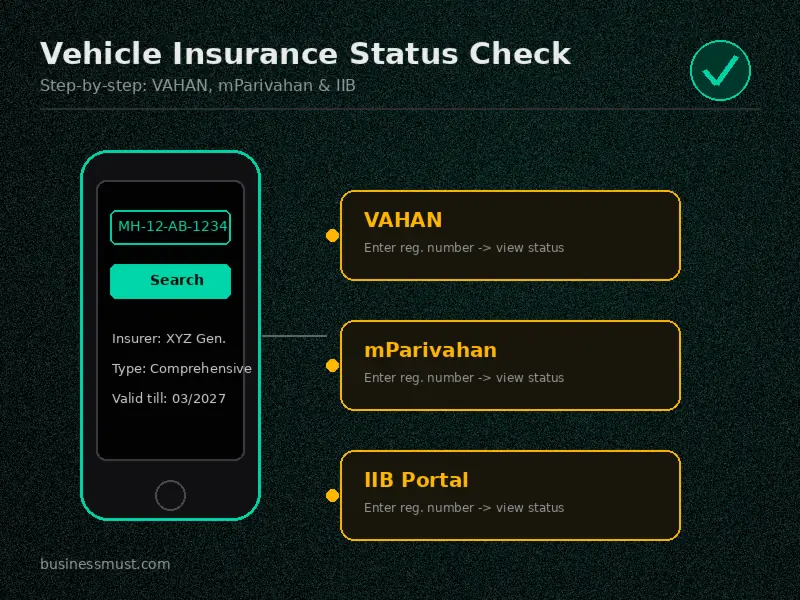
If you’ve been searching for how to check vehicle insurance status online, here’s every method that actually works. Which one suits you best depends on what you have handy: your registration number, your policy number, or just a few minutes and your phone.
Parivahan Sewa / VAHAN Portal
This is the Ministry of Road Transport and Highways’ official vehicle database, and it’s usually the first stop for most people who want to check vehicle insurance status online parivahan style, official, free, and government-backed.
- Go to the official Parivahan Sewa website
- Click on “Information Services” in the main menu
- Select “Know Your Vehicle Details” from the dropdown
- You’ll land on the Vahan e-Services page
- Log in using your registered mobile number and the OTP sent to you
- Enter your vehicle’s registration number along with the verification code shown
- Click “Search Vehicle”
- Your vehicle details, including the insurance expiry date, will show up on screen
One thing worth flagging early: your registration number needs to be entered exactly as it appears on your RC, no extra spaces, correct state code format (like MH-12-AB-1234, not mh12ab1234).
mParivahan App
If you’d rather do this from your phone without opening a browser, the mParivahan app covers the same database in a more mobile-friendly format.
- Download mParivahan from the Play Store or App Store
- Choose your preferred language and tap continue
- You’ll see two options to search: by vehicle registration number or by driving license number
- Enter your vehicle number and tap search
- Sign in with your registered mobile number
- Your insurance status, along with other RC details, will be displayed
This is genuinely handy if you’re at an RTO office or a checkpoint and need to pull up your details on the spot.
IIB (Insurance Information Bureau) Portal
The IIB was set up by IRDAI specifically to give policyholders and authorities a central place to check insurance and, notably, accident history. It’s a slightly more formal route, useful if you need a broader insurance record rather than just a quick expiry date.
- Visit the official IIB website
- Enter your vehicle’s registration number, along with mobile number and email if asked
- If you’re checking in relation to an accident, you can also filter by date of accident
- Submit the form to view your policy details
A quick heads-up here: IIB data typically takes around two months to update after a new policy is issued or renewed. So if you check right after buying a policy and it doesn’t show up, that’s not necessarily a problem, it just hasn’t synced yet.
Insurer’s Own Website or App
If you know who your insurance company is, going straight to their portal often gives you the fastest and most accurate answer, especially for comprehensive policy details that government portals don’t always capture well.
- Log in to your insurer’s website or app using your registered mobile number
- Enter your policy number if asked
- View your coverage type, expiry date, and renewal options directly
This is also where you’ll find your actual policy document for download, which is handy if you need proof beyond just a status confirmation.
Comparison at a Glance
| Method | What It Shows | Time Needed | Reliability | Best For |
|---|---|---|---|---|
| Parivahan/VAHAN | Basic third-party status, expiry date | 2-3 minutes | Good, but can lag | Quick compliance checks, RTO work |
| mParivahan App | Same as VAHAN, mobile-friendly | 2-3 minutes | Good, but can lag | On-the-go checks, checkpoints |
| IIB Portal | Fuller insurance and accident history | 5 minutes | Data can be 1-2 months delayed | Deeper verification, post-accident checks |
| Insurer’s website/app | Complete policy details, coverage type, add-ons | 2 minutes | Most accurate and current | Confirming your actual coverage |
Why Your Insurance Might Show as “Expired” or “Not Found” (Even If It’s Active)
This happens more often than you’d think, and it causes a fair bit of unnecessary panic. You renewed your policy, you have the receipt, and yet VAHAN still shows your insurance as expired or simply doesn’t find any record at all.
Here’s what’s actually going on. Insurers don’t update the government’s central database in real time. When you buy or renew a policy, your insurer uploads that record to the IIB and VAHAN systems on their own schedule, and depending on the company, that can take anywhere from a few days to well over a month. During that gap, the official portals are simply working off old information.
There are a few other common culprits too:
- Format mismatches. If your registration number was entered with a typo, extra space, or wrong state code format during the insurer’s upload, the system won’t match it to your vehicle even though a policy genuinely exists.
- Wrong RTO jurisdiction. Vehicle records are tied to the specific RTO where the vehicle is registered. If there’s a mismatch in that data, particularly common after an inter-state transfer, the search can come up empty.
- New vehicle delays. For a brand-new car or bike, insurance data can take even longer to appear since the vehicle registration itself is also freshly processed.
So what should you actually do if this happens to you?
First, don’t panic and don’t assume you’re uninsured. Pull out your policy document or the confirmation email from your insurer, that’s your real proof. If it’s been more than 60 days since you renewed and the portal still shows old data, call your insurer’s customer support and ask them to confirm the upload status on their end. If the mismatch seems to be about registration number formatting, your insurance agent or the insurer can usually correct it faster than waiting for the RTO to catch up.
The bottom line is that a “not found” result on VAHAN is a data timing issue nine times out of ten, not proof that you’re driving uninsured.
Checking Insurance Status for a Used or Second-Hand Vehicle
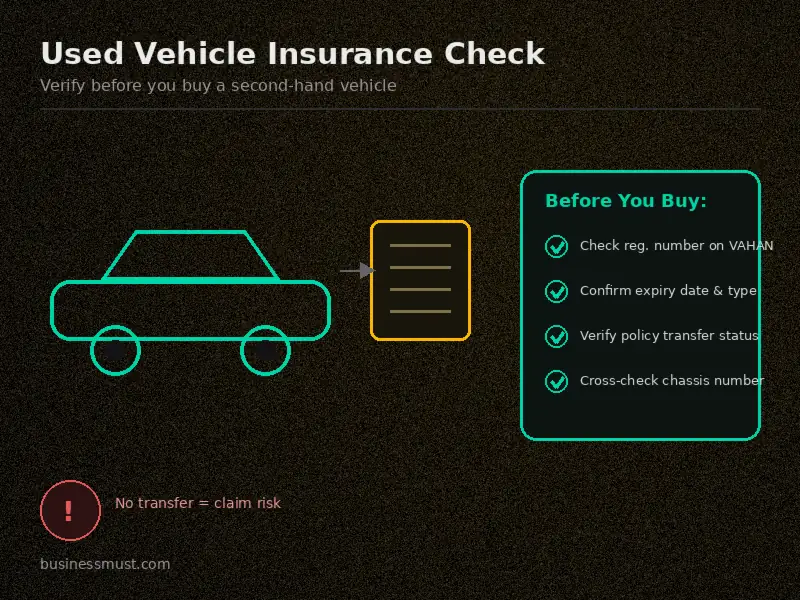
If you’re buying a used car or bike, this section matters more than any other one on this page.
Here’s a scenario that plays out constantly across India. Someone buys a second-hand vehicle, the seller says the insurance is valid and hands over a photocopy of an old policy, and the buyer assumes everything’s in order. Months later, they file a claim after a minor accident and discover the policy was still in the previous owner’s name, never transferred, and the insurer refuses to pay out.
Insurance doesn’t automatically transfer with ownership. Under Indian law, you’re required to notify the insurer of the ownership change within 14 days of the RC transfer, and until that transfer is processed, any claim you file could be rejected outright because the policy legally still belongs to someone else.
So before you finalize a used vehicle purchase, do this:
- Ask the seller for the registration number and check the insurance status yourself on VAHAN or mParivahan, don’t rely on a photo of the policy document alone
- Confirm the policy’s expiry date and coverage type
- Once you’ve bought the vehicle, contact the insurer directly (or have the seller do it jointly with you) to transfer the policy into your name
- Keep the chassis and engine numbers handy too, since these can be used as a backup search method if the registration number search doesn’t return clean results
A red flag worth watching for: if the seller is vague about the insurer’s name, dodges questions about the policy number, or the VAHAN search shows the policy as expired while they insist it’s active, treat that as a reason to slow down, not proceed. It’s a small delay compared to inheriting someone else’s insurance headache.
Checking Insurance Status for Bikes, Scooters & Commercial Vehicles
Everything covered above for cars applies just as well to two-wheelers. If you’re specifically looking to run a two wheeler vehicle insurance status check online, the process is identical, VAHAN, mParivahan, and the IIB portal don’t distinguish much between a hatchback and a scooter, the same registration-number lookup works across vehicle types.
A couple of small differences worth knowing:
For bikes and scooters, third-party insurance is just as mandatory as it is for cars, and the same NCB logic applies if you’re a scooter owner who’s stayed claim-free.
For commercial vehicles, insurance status often gets checked alongside your fitness certificate and permit validity, since all three need to be current for the vehicle to legally operate. If you run a commercial vehicle, it’s worth checking insurance, fitness certificate, and permit status together during the same RTO visit rather than treating them as separate errands.
How to Spot a Fake or Fraudulent Insurance Policy
This one doesn’t get talked about enough. Fake or fraudulently issued insurance policies are a real problem in India, sometimes sold by unauthorized agents who pocket the premium and hand over a document that looks legitimate but was never actually filed with an insurer.
IRDAI has repeatedly warned the public about this, and the way to protect yourself is straightforward:
- Never rely solely on a physical document handed to you by an agent, cross-check the policy directly on the insurer’s own website or by calling their customer care line
- Confirm the agent or POSP (Point of Sale Person) is genuinely registered, IRDAI maintains public verification tools for this
- If a deal seems unusually cheap compared to standard premiums for your vehicle category, that’s worth double-checking rather than celebrating
- Use your vehicle insurance status check on VAHAN as a second layer of confirmation, since a genuinely issued policy should eventually reflect there, even with the usual data lag
A five-minute cross-check when you buy a policy can save you from a very expensive surprise the day you actually need to make a claim.
Do You Need to Carry a Physical Insurance Copy?
Short answer: no, not anymore.
Following the 2019 amendment to the Motor Vehicles Act, digital copies of your insurance stored in DigiLocker or the mParivahan app are legally valid during traffic checks. You don’t need to keep a paper copy in your glovebox or worry about it fading in the sun.
That said, it’s still smart to keep a digital backup saved somewhere accessible even without internet, since checkpoints in low-connectivity areas can sometimes cause friction if the app won’t load. A screenshot as a backup, alongside the app itself, covers you either way.
What to Do If Your Vehicle Insurance Has Expired
If your status check comes back showing an expired policy, here’s the practical next-step sequence.
First, don’t drive the vehicle until it’s renewed. Even a short trip to the market carries legal and financial risk if something goes wrong while you’re uninsured. Park it and sort the renewal first.
Second, understand the penalty you’re avoiding by acting quickly. Driving with expired insurance can attract a fine for a first offense, with steeper penalties, and even the possibility of imprisonment, for repeat violations.
Third, keep an eye on your NCB timeline. Many insurers allow a grace period, but if your policy lapses beyond a certain window (commonly around 90 days), your accumulated No Claim Bonus can be wiped out, meaning your next premium jumps back up to the standard rate.
Fourth, compare renewal quotes before you just renew blindly with your existing insurer. Premiums genuinely vary between companies for the same coverage, and a few minutes browsing Motor Insurance options on BusinessMust can mean a meaningfully lower premium for the same protection.
Finally, if your policy has lapsed for an extended period, be prepared for the possibility that your insurer asks for a quick self-inspection, usually just a short video of your vehicle from your phone, before reinstating comprehensive coverage.
FAQa
How long is a vehicle insurance policy valid?
A standard comprehensive car insurance policy is valid for one year and needs annual renewal. New cars often come with a bundled long-term policy, sometimes 3 years for third-party cover, especially since it became mandatory for new four-wheelers. Bikes and scooters follow similar rules, with long-term third-party options available for new purchases.
Can I check insurance status without a policy number?
Yes. Your vehicle registration number is enough to search on VAHAN, mParivahan, or the IIB portal. A policy number is only needed if you’re checking directly through your insurer’s own portal.
Is checking insurance status online free?
Yes, completely. VAHAN, mParivahan, the IIB portal, and every insurer’s own status-check tool are free to use. Be wary of any third-party website asking for payment to “check” your insurance status.
Why does VAHAN show different information than my actual policy document?
This usually comes down to data lag. Insurers upload records to the government database on their own timeline, so there’s often a gap between what your policy document says and what appears online, especially right after a renewal.
Can I check insurance status using just the chassis or engine number?
Yes, both VAHAN and the IIB portal allow searches using chassis or engine numbers, which is useful if you don’t have the registration number handy or if the registration number search isn’t returning results.
Is a digital insurance copy valid during a traffic stop?
Yes. Since the 2019 Motor Vehicles Act amendment, insurance documents saved in DigiLocker or the mParivahan app are legally accepted, you don’t need to carry a physical copy.
How do I check insurance status for a used bike or car before buying?
Ask the seller for the registration number and run the check yourself on VAHAN or mParivahan rather than trusting a photocopy. Confirm the expiry date, coverage type, and whether the policy has actually been transferred to the current owner’s name.
Gaadi ka insurance status online kaise check kare?
Aap Parivahan Sewa ya mParivahan app par apni gaadi ka registration number daal kar seedha insurance status dekh sakte hain. Bas registration number sahi format mein dalna zaroori hai, warna result nahi milega.
VAHAN par insurance expired dikha raha hai lekin maine renew kar diya tha, ab kya karu?
Panic mat kariye, aksar aisa data update mein delay ki wajah se hota hai. Apni renewal receipt ya policy document apne paas rakhiye as proof, aur agar 60 din se zyada ho gaye hain to insurer ko call karke confirm kar lijiye.
Bina policy number ke bhi insurance check ho sakta hai kya?
Haan, bilkul. Sirf vehicle registration number se hi VAHAN, mParivahan, ya IIB portal par status check kiya ja sakta hai, policy number sirf insurer ki website par directly check karne ke liye chahiye hota hai.
Second hand gaadi kharidte time insurance kaise verify kare?
Seller se registration number lekar khud VAHAN ya mParivahan par check kariye, sirf unki baat par bharosa mat kijiye. Yeh bhi dekh lein ki policy purane owner ke naam se transfer hui hai ya nahi, kyunki bina transfer ke claim reject ho sakta hai.
Checking your vehicle insurance status online really is a five-minute job once you know where to look and what the results actually mean. The bigger win isn’t just avoiding a fine at a checkpoint, it’s catching a lapsed policy before it costs you a rejected claim, or catching a used vehicle’s paperwork problem before it becomes your problem. Make it a habit to check a couple of weeks before your renewal date, and you’ll never be caught off guard.
If your check just turned up an expired or underwhelming policy, don’t renew on autopilot. Compare plans on our Motor Insurance page and make sure your premium is buying you real protection, not just legal compliance.
Disclaimer: This article is for general informational purposes only and does not constitute legal, financial, or insurance advice. Portal names, steps, and processes mentioned (VAHAN, Parivahan Sewa, mParivahan, IIB) belong to their respective government bodies and are subject to change without notice. Fines, penalties, and regulations cited are based on information available at the time of writing and may vary by state or be revised by authorities. Please verify current rules on the official government portals or consult your insurer before making any decisions regarding your vehicle insurance policy. BusinessMust does not guarantee the accuracy or completeness of third-party portal information and is not liable for any loss arising from reliance on this content.
